Partner · NinjaTrader Ecosystem

Our Recommended Trading Platform
NinjaTrader® is our #1 recommended trading platform preferred by traders worldwide including our clients.
Download NinjaTrader & receive immediate FREE access to:
- Simulated trading with real-time futures data
- Advanced charting including the ability to trade directly from your charts
- High-performance backtesting engine to analyze your trading strategies on historical data
- Advanced Trade Management featuring automatically submitted stop orders, target orders and trailing stops
NinjaTrader’s award-winning trading platform is consistently voted an industry leader by the trading community. Featuring 1000s of Apps & Add-Ons for unlimited customization, NinjaTrader is used by over 1.9 million traders for advanced market analysis, professional charting and fast order execution.
For new traders, start preparing for the live markets with a free trading simulator featuring real-time market data.
Get Started for FREE!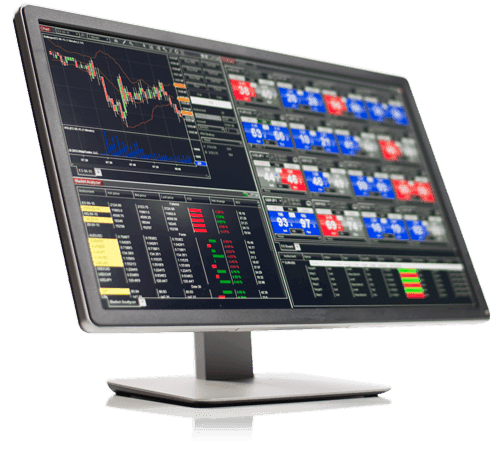

Our Recommended Market Data Feed
Kinetick® delivers reliable, fast and cost-effective market data to help level the playing field for active traders. Take advantage of unfiltered, real-time quotes for stocks, futures and forex that exceed the expectations of the world’s most demanding traders, like us!
Get started with FREE end-of-day historical market data directly through the NinjaTrader platform and learn how you can significantly reduce CME Group Globex exchange fees on real-time market data with Kinetick.
Get Started with Free EOD Data
How TradeAquila connects to NinjaTrader 8
TradeAquila is a live dashboard for your trading accounts. There are two ways to bring a NinjaTrader 8 account in — neither can place a trade.
Auto connect · Tradovate · recommended
One click, nothing to install, records 24/7. For every account under your Tradovate login — including the ones you trade inside NinjaTrader on Tradovate technology.
- 1In TradeAquila, open Add an account → Tradovate / NinjaTrader and click Connect with Tradovate.
- 2Approve on Tradovate’s own page — read-only permissions, your password never reaches TradeAquila.
- 3Tick the accounts to monitor. They stream 24/7 with nothing installed, including the accounts you trade inside NinjaTrader on Tradovate technology — and every trade since each account opened is backfilled.
Manual connect · NinjaTrader 8 add-on
For accounts NinjaTrader shows on other connections, or if you would rather not link your Tradovate login. Your credentials never leave your machine; it records while NinjaTrader runs.
- 1Import the TradeAquila Monitor add-on in NinjaTrader 8 (Tools → Import → NinjaScript Add-On).
- 2Open Control Center → New → TradeAquila Monitor, pick your account and paste your TradeAquila key.
- 3Press Start. Positions, fills, rules headroom and your journal update live while NinjaTrader runs.
Affiliate disclosure. The NinjaTrader and Kinetick links on this page are partner links from which TradeAquila may earn a commission at no extra cost to you. They do not change how TradeAquila works or what it shows you.
Risk disclosure. Futures and forex trading contains substantial risk and is not for every investor. An investor could potentially lose all or more than the initial investment. Risk capital is money that can be lost without jeopardizing one’s financial security or lifestyle. Only risk capital should be used for trading and only those with sufficient risk capital should consider trading. Past performance is not necessarily indicative of future results.
NinjaTrader® is a registered trademark of NinjaTrader Group, LLC. No NinjaTrader company has any affiliation with the owner, developer, or provider of the products or services described herein, or any interest, ownership or otherwise, in any such product or service, or endorses, recommends or approves any such product or service.
Kinetick® is a registered trademark of its owner. Full Risk Disclosure & Disclaimer.